AI Chatbots
AI Helpdesk Software That Gives Cited Answers From Your Docs
AI Helpdesk Software That Gives Cited Answers From Your Docs
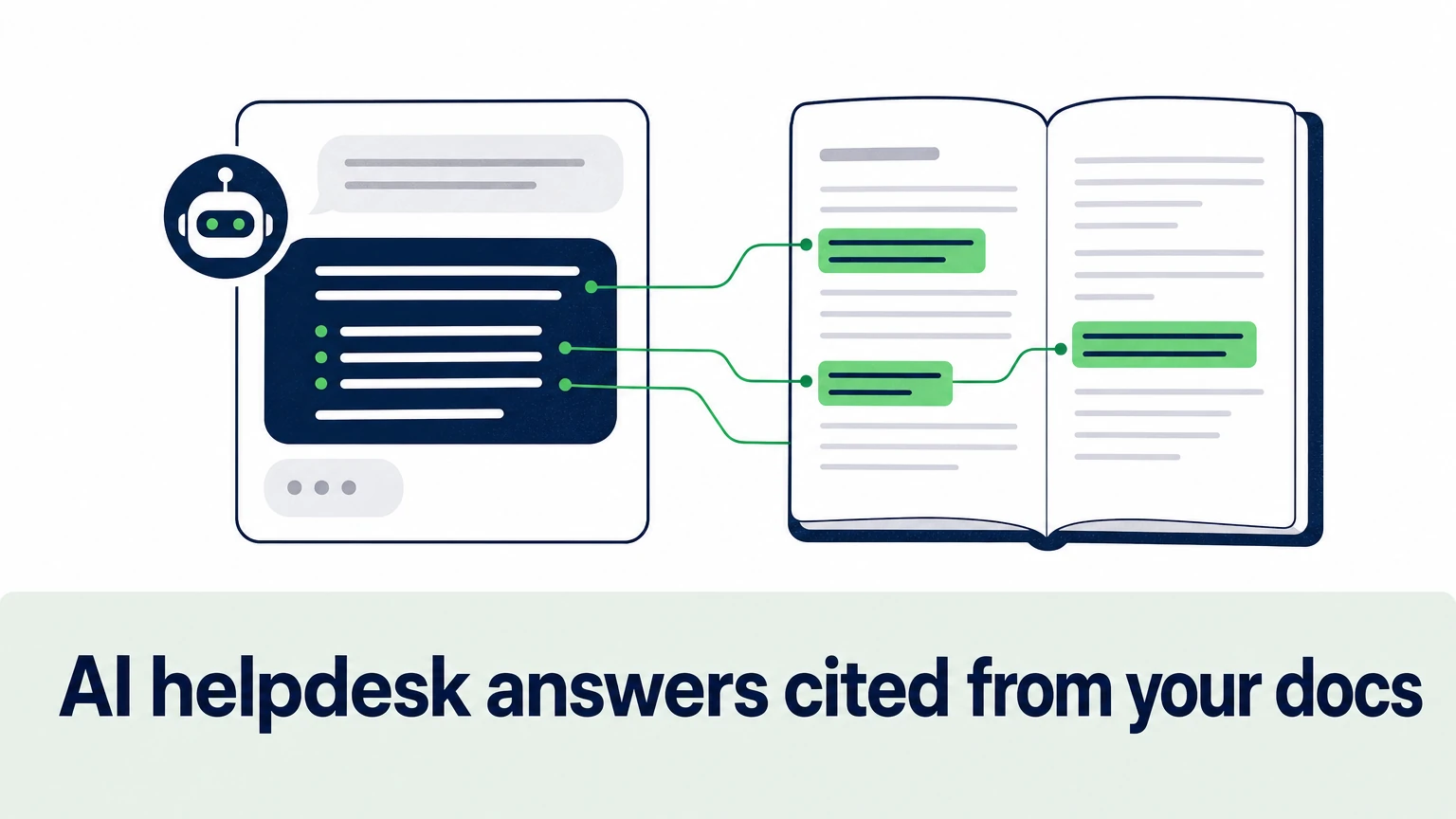
An AI helpdesk with cited answers replies to customers from your own documentation and shows the exact source behind every claim. The customer gets the answer and the link to verify it. Your team gets a reply it can audit in seconds instead of re-researching from scratch.
That difference matters more than it sounds. An uncited AI answer asks for trust. A cited one earns it — or exposes the gap in your docs that caused the mistake.
This guide covers how citation-based AI support works, what to check before you buy, how to prepare your knowledge base, and how to roll it out without putting wrong answers in front of customers.
What is an AI helpdesk with cited answers?
It's a support assistant that retrieves passages from your approved sources, writes an answer only from those passages, and attaches a reference to each one.
The sources are the content you already maintain: help center articles, product docs, API references, internal files, Google Docs, even video walkthroughs. The AI doesn't answer from general internet knowledge. It answers from yours.
A typical cited answer has three parts:
- The direct answer — one to three sentences that resolve the question.
- The steps or details — pulled from the relevant doc section, in order.
- The citations — links to the specific article, page or line the answer came from.
Compare that with a generic chatbot. A generic bot produces a fluent paragraph. You can't tell which sentence came from your docs and which one the model filled in.
Why do source citations matter in AI customer support?
Citations turn an AI answer from a claim into something a customer or agent can check. That single property fixes three of the most expensive problems in AI support.
Hallucination risk. AI support with source citations is grounded by design: if no passage supports a statement, the statement shouldn't appear. When the system can't find a source, the right behavior is to say so and escalate — not to improvise.
Customer trust. A wrong answer to "how do I reset my password" is a minor annoyance. A wrong answer about API rate limits or a billing policy is a broken integration or a refund dispute. A visible source lets the customer confirm the answer before they act on it.
Agent verification. When AI drafts replies inside a helpdesk, agents review before sending. Without citations, review means re-searching the docs. With citations, review means clicking one link.
There's a fourth benefit teams often miss. Every question the AI can't cite is a signal. It tells you exactly which topics your documentation doesn't cover yet.
How does an AI answer from documentation with citations?
The mechanism is retrieval-augmented generation, usually shortened to RAG. The AI looks up relevant passages first, then writes the answer from them.
Here is the sequence. Your sources are split into small chunks and indexed. When a question arrives, the system searches that index for the most relevant passages. The model then writes an answer using only those passages and links each part of the answer back to the chunk it came from. If no passage is relevant enough, the system declines to answer or hands the conversation to a human agent.
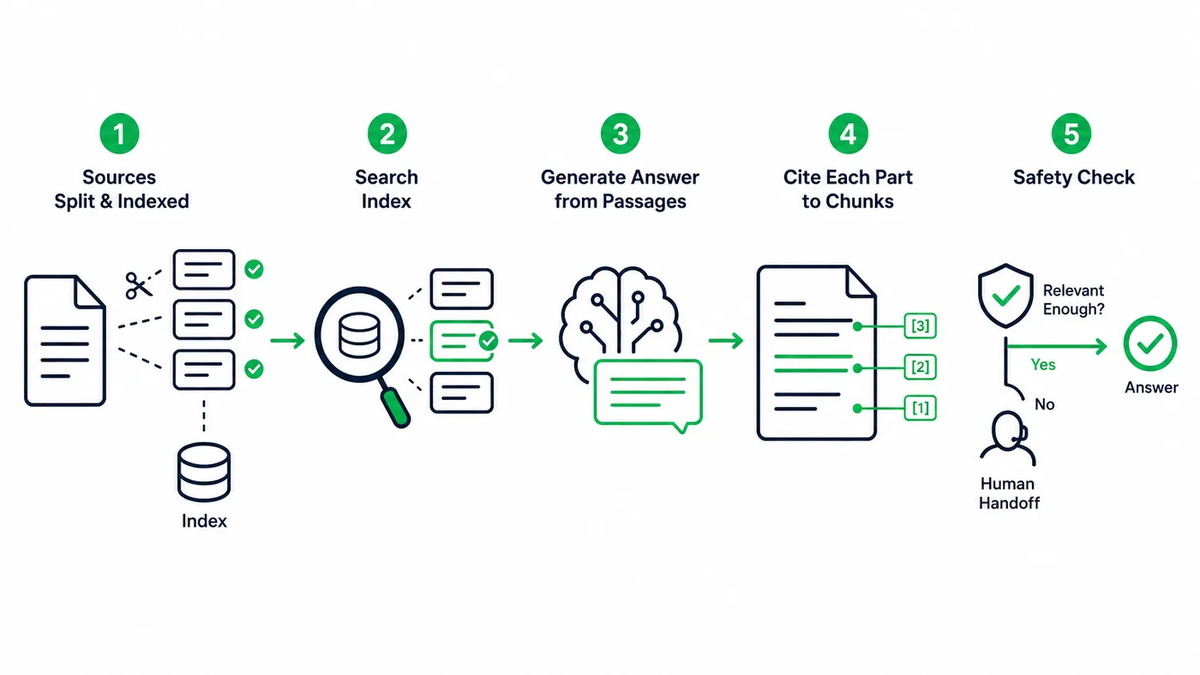
The quality of the result depends on each step:
- Indexing — clean, current, well-structured docs produce better chunks.
- Retrieval — the system has to find the right passage, not just a similar-sounding one.
- Generation — the model must stay inside the retrieved text, follow your tone and terminology, and keep claims tied to sources.
- Fallback — a clear rule for what happens when confidence is low.
Treat this as a pipeline you tune, not a switch you flip.
What should you look for in AI helpdesk software with citations?
Look for granular citations, broad source coverage, strict grounding rules, clean human handoff and analytics on unanswered questions. Everything else is secondary.
Use this checklist when you compare vendors:
| Criterion | What good looks like | Why it matters |
|---|---|---|
| Citation granularity | Links to the exact article, section or line | Page-level links still force readers to hunt |
| Source types | Websites, help centers, files, Google Docs, videos, API docs | Answers are only as complete as the sources behind them |
| Grounding behavior | Declines or escalates when no source supports an answer | Prevents confident wrong answers |
| Helpdesk integrations | Works inside your existing helpdesk and chat tools | Agents shouldn't switch tabs to use AI |
| Human handoff | Passes full conversation context to the agent | Customers shouldn't repeat themselves |
| Multilingual answers | Answers in the customer's language from your source docs | One knowledge base serves every market |
| Actions | Can call APIs, webhooks or MCP servers for account-specific tasks | Some questions need data, not docs |
| Analytics | Shows unanswered questions and content gaps | Tells you what to write next |
| Setup | No-code configuration of sources, tone and rules | Support ops can own it without engineering |
Two questions cut through most demos. First: ask the vendor to show an answer where the docs are silent — does it guess or escalate? Second: click a citation and check whether it lands on the passage that supports the answer, or just on a related page.
How do the main AI helpdesk options compare?
The main options split into three groups: AI built into a helpdesk suite, standalone AI agents that plug into your helpdesk, and generic chatbots.
AI inside a helpdesk suite. Intercom and Zendesk both offer AI features inside their own platforms. Gorgias does the same for its helpdesk. This route suits teams already standardized on one suite who want AI in the same interface.
Standalone AI support agents. Tools such as Ada, Forethought and Ordemio work as a separate AI layer. They connect to your helpdesk and knowledge sources rather than replacing them. This route suits teams that want to choose their AI independently of their ticketing system, or that support customers across several channels.
Generic chatbots. Tidio and similar website chat tools also offer AI answering. For documentation-heavy products, check closely how each one grounds and cites answers before committing.
Whatever you shortlist, run the same test: your hardest 50 real tickets, answered from your real docs. Score each answer on correctness, citation accuracy and whether it escalated when it should have. A vendor demo on sample data tells you little.
How do you prepare your knowledge base for AI citations?
Clean, specific, current documentation is the biggest lever on answer quality. The AI can only cite what you've written.
Work through it in this order:
- Inventory your sources. List the help center, product docs, API references, changelogs, internal guides, files and video walkthroughs that answer customer questions.
- Remove or update outdated pages. An old article cited confidently is worse than no answer. Archive anything that describes retired features or old pricing.
- Write one topic per article. Retrieval works best when a page answers one question clearly. Split long catch-all pages.
- Lead each section with the answer. Put the direct answer in the first sentence of each section, then the steps. That's also what the AI will quote.
- Use consistent terminology. If the docs call one feature by three names, answers will drift between them.
- Add the questions customers actually ask. Mine recent tickets for repeated questions your docs don't cover, and write short articles for them.
For a deeper walkthrough of this step, see our guide on training ChatGPT from your knowledge base.
How do you roll out cited AI answers safely?
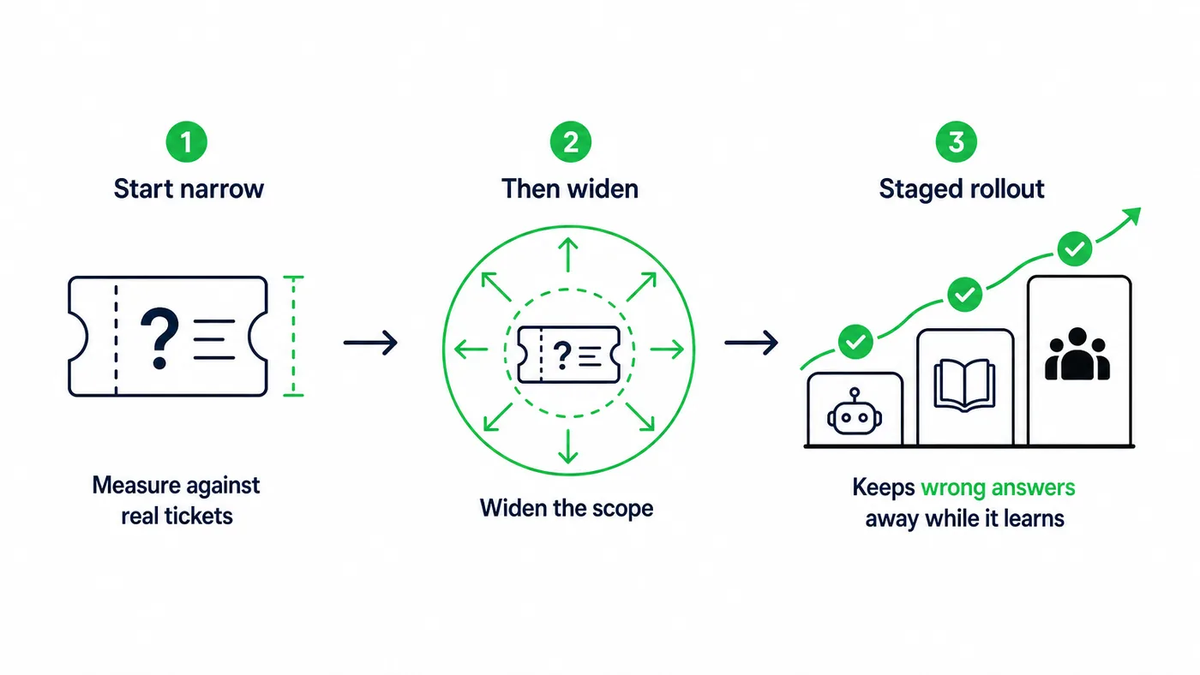
Start narrow, measure against real tickets, then widen the scope. A staged rollout keeps wrong answers away from customers while the system learns your content.
A practical sequence:
- Agent-assist first. Let the AI draft cited replies inside your helpdesk while agents review and send. You see answer quality on live tickets with zero customer exposure.
- Self-service on low-risk topics. Turn on customer-facing answers for how-to and product questions where the docs are strong.
- Escalation rules for sensitive topics. Route billing disputes, account security and legal questions to humans by default.
- Weekly gap review. Read the questions the AI declined or escalated. Write or fix the docs behind them.
- Expand channels. Once answers hold up, extend to in-product widgets, communities and other languages.
Track a small set of metrics from day one: first response time (FRT), resolution rate, escalation rate and the share of answers agents edit before sending. Record a baseline before launch so every change has a number next to it.
How Ordemio delivers cited answers from your docs
Ordemio is a no-code AI customer support platform built for SaaS and technology companies, and cited, grounded answers sit at the center of it.
The Ask AI Agent for cited documentation answers turns your product and developer docs into citation-based answers across your website, help center, product interface and community. It's built for technical products where users need actionable answers and code examples, not paraphrased marketing copy. It's free with your own OpenAI API key, and paid plans start at $49/month.
For ticket-based support, the Ordemio AI Support Agent grounds answers in websites, help centers, files, Google Docs, videos and API documentation. It connects to Intercom, Zendesk, Freshdesk, Discord, Slack, webhooks and APIs. When a question needs account data, it can execute actions through APIs, webhooks or MCP servers. When it needs a person, it hands the conversation off with full context. Plans run from Startup at $49/month to Growth from $299/month, with custom Elite plans and $0.10 per answer after included limits.
If your team lives in Zendesk, the AI Agent Copilot for Zendesk drafts, refines and translates knowledge-grounded replies directly in the ticket composer. Agents review before sending, with tone controls and escalation rules on top.
Across all three, answers work in 95+ languages from the same source docs, and analytics surface the recurring questions and content gaps your documentation still needs to cover.
FAQ
Can AI answers from documentation still be wrong?
Yes, if the source itself is wrong or outdated, or if retrieval picks the wrong passage. Citations don't make errors impossible. They make errors visible and traceable. When a customer or agent spots a wrong answer, the citation points straight to the page that needs fixing. That's why outdated-content cleanup and a weekly review of declined and escalated questions belong in every rollout plan.
What's the difference between knowledge base AI citations and a search bar?
A search bar returns a list of pages and leaves the reading to the customer. Knowledge base AI citations combine both steps: the AI reads the relevant passages, writes a direct answer to the specific question, and links the passages it used. The customer gets the answer first and the evidence second, instead of opening five articles to assemble it themselves.
Do cited AI answers work for API and developer documentation?
They work especially well there. Developer questions usually have one correct answer that lives in a specific reference page or code example. A cited answer lets the developer jump to that exact section to check parameters, versions and edge cases. Keep API references current and versioned, because the AI will cite whatever version it finds.
Should the AI answer customers directly or assist agents first?
Start with agent-assist on live tickets. Agents see cited drafts, correct them and send, which shows you real answer quality without customer risk. Once edit rates fall on a topic and the docs behind it are solid, enable direct customer answers for that topic. Keep sensitive areas like billing disputes and account security on human review.
Ready to put cited answers in front of your customers?
Pick 50 recent tickets, connect your docs and see which ones get a correct, cited answer. Start with Ordemio at ordemio.com — setup is no-code, and your first test runs on your own documentation.