AI Chatbots
AI Tools That Automate Repetitive Helpdesk Tickets: What to Look For in 2026
AI Tools That Automate Repetitive Helpdesk Tickets: What to Look For in 2026
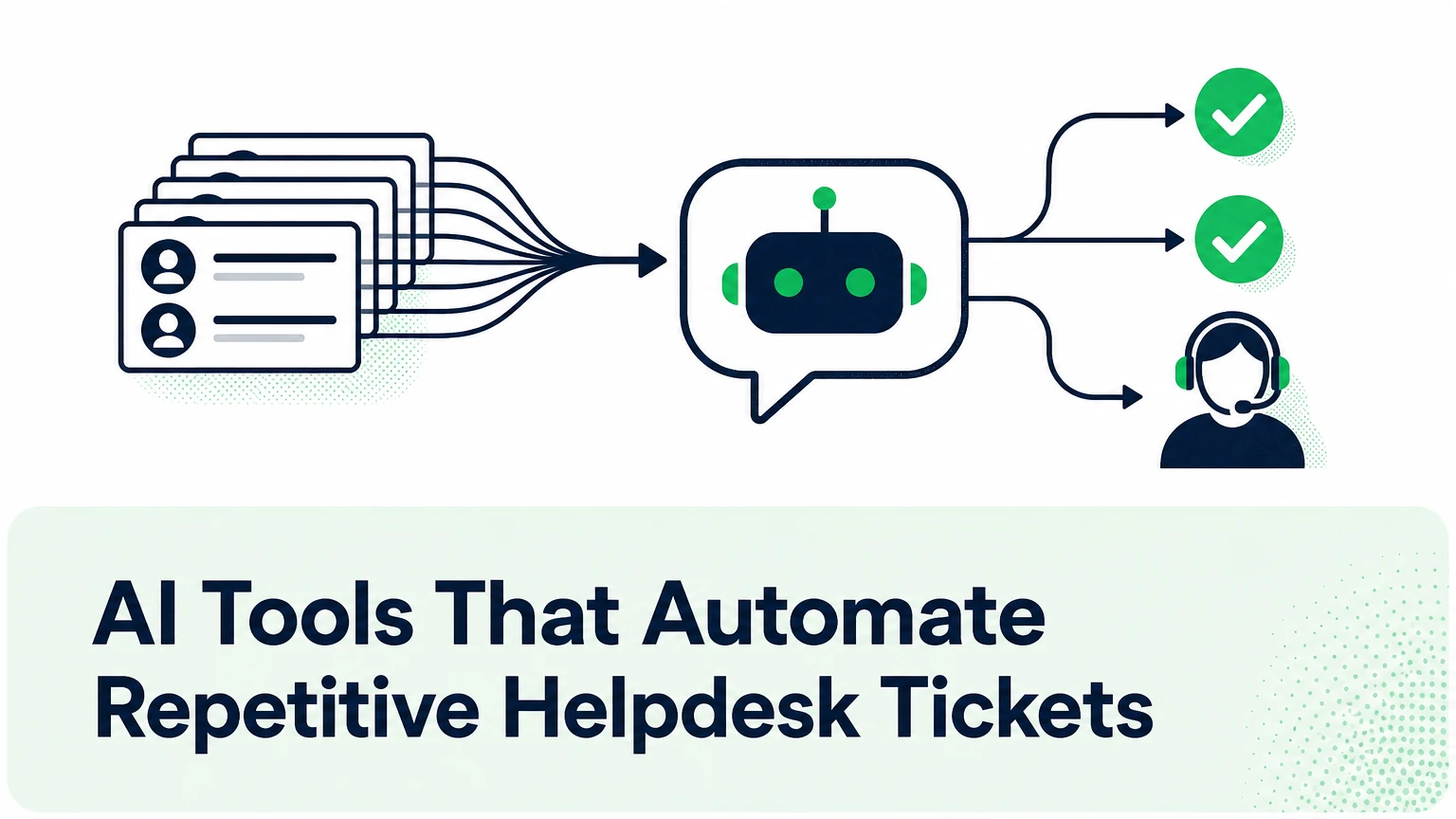
The AI tools that automate repetitive helpdesk tickets do three things well: they answer from your own knowledge, they act inside your helpdesk, and they hand off to a human when the question goes past what they know. Everything else is packaging. This guide shows how to automate repetitive helpdesk tickets without trading accuracy for speed, and how to compare tools on features and pricing.
Which helpdesk tickets are actually repetitive?
Repetitive tickets are the ones your agents answer from the same three or four sources every day.
Password resets. "How do I export my data." "Where's the API key." "Does the Pro plan include SSO." Billing date questions. Integration setup steps.
The answer already exists — in a help center article, a doc page, a pricing table, or a macro. The agent's job is to find it, rewrite it, and paste it.
That's the work AI should take over first.
A quick way to find your candidates:
- Export the last 90 days of tickets from your helpdesk.
- Group them by topic or tag.
- Mark every group where the answer lives in a single document.
- Rank those groups by volume.
The top of that list is your automation backlog. The long tail — edge cases, bugs, account-specific disputes — stays with humans.
How does AI ticket automation software work?
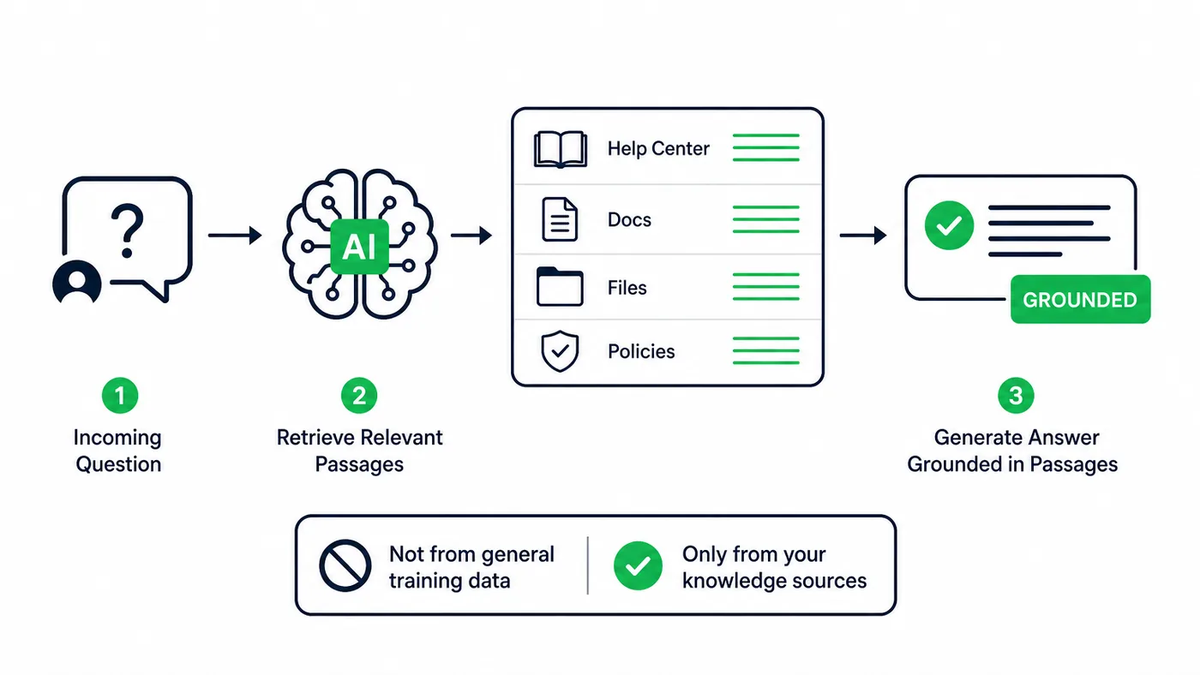
AI ticket automation software reads the incoming question, retrieves the relevant passages from your knowledge sources, and writes an answer grounded in those passages.
The key word is grounded. The model doesn't answer from general training data. It answers from your help center, your docs, your files, and your policies.
A typical flow looks like this:
- Ingest. The tool connects to your website, help center, PDFs, Google Docs, videos, and API documentation.
- Retrieve. For each ticket, it pulls the passages that match the question.
- Answer. It drafts a reply using only those passages, in your tone and terminology.
- Act. Where configured, it calls an API, a webhook, or an MCP (Model Context Protocol) server to check an order, update an account, or create a record.
- Escalate. When confidence is low or the request falls under an escalation rule, it routes the ticket to a human with the full conversation attached.
Skip step 5 and you don't have automation. You have a liability.
Deflection vs. drafting: two ways to reduce repetitive support tickets
There are two distinct ways AI tools reduce repetitive support tickets, and most teams need both.
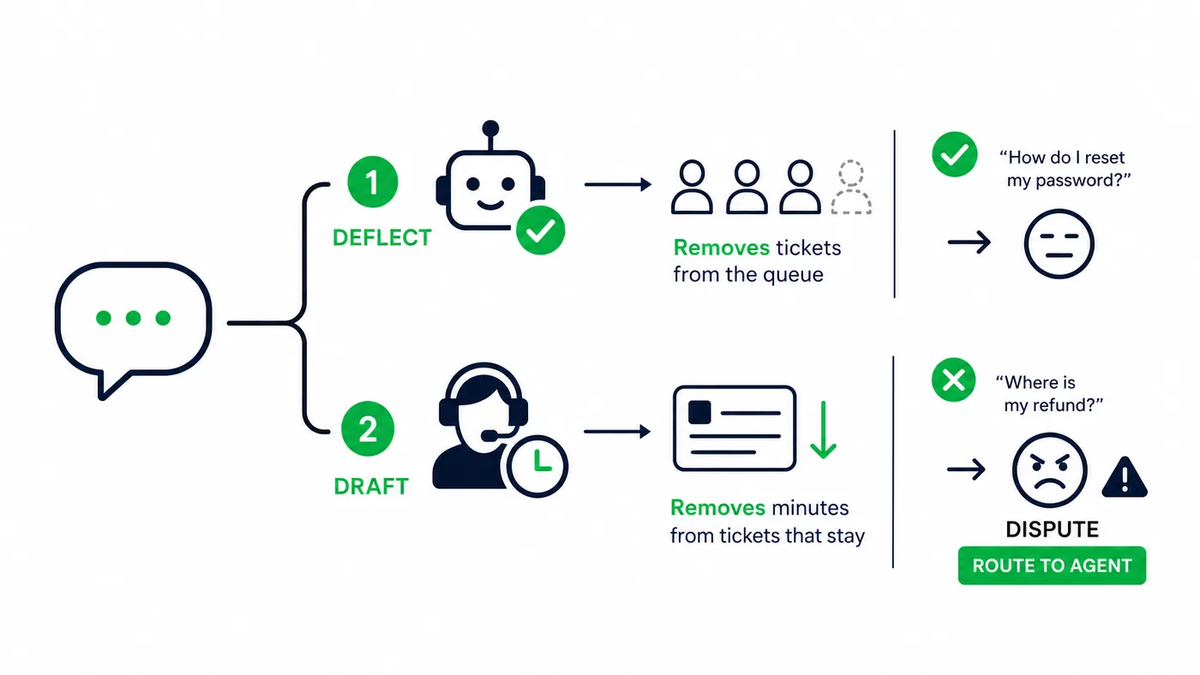
Deflection answers the customer before a ticket exists. An AI agent sits in your help center, website widget, in-product interface, or community channel and resolves the question on the spot.
Drafting works after the ticket is created. An AI copilot writes the reply inside your helpdesk, and a human agent reviews, edits, and sends it.
| Deflection (AI agent) | Drafting (AI copilot) | |
|---|---|---|
| Where it runs | Website, help center, app, Discord, Slack | Inside the helpdesk ticket composer |
| Who sends the answer | The AI | The human agent |
| Best for | High-volume, low-risk questions | Questions that need review or a personal touch |
| Risk control | Grounding plus escalation rules | Human review on every reply |
Deflection removes tickets from the queue. Drafting removes minutes from the tickets that stay.
A wrong answer to "how do I reset my password" is annoying. A wrong answer about a refund is a dispute. Route accordingly.
Which features matter most in AI ticket resolution tools?
The features that matter most in AI ticket resolution tools are the ones that keep answers accurate and keep humans in control.
Use this checklist when you compare vendors:
- Knowledge grounding. Can it learn from all your sources — help center, docs, files, videos, API references — and answer only from them?
- Citations. Does it show which document an answer came from? Technical users and your own agents need to verify.
- Helpdesk integrations. Does it work natively with the helpdesk you already run, such as Zendesk, Intercom, or Freshdesk?
- Human handoff. Does it escalate with the full conversation and context, so the customer never repeats themselves?
- Actions. Can it do things, not just say things — through APIs, webhooks, or MCP servers?
- Multilingual support. Does it answer in the customer's language while keeping your terminology and policies consistent?
- Tone and escalation controls. Can you set the voice and define exactly which topics always go to a human?
- Analytics. Does it show recurring issues and content gaps, so you can fix the docs instead of answering the same question forever?
A tool that scores well on a demo but fails on grounding will cost you more than it saves. Test it on your hardest 50 tickets, not your easiest.
What does AI ticket automation cost?
AI ticket automation is usually priced as a monthly subscription plus usage, with custom contracts at the enterprise end.
The common pricing components are:
- Base plan. A monthly fee that includes a set number of AI answers or conversations.
- Overage. A per-answer or per-resolution charge once you pass the included limit.
- Seats or channels. Some vendors price by agent seat or by connected channel.
- Enterprise. Custom pricing for security reviews, volume, and dedicated support.
When you compare quotes, model your real volume. Take your monthly repetitive-ticket count from the backlog exercise above, estimate the share you expect AI to answer, and price that against each vendor's included limits and overage rate.
Per-answer pricing is predictable. Per-resolution pricing depends on how each vendor defines "resolved." Ask for the definition in writing.
The usual names on a 2026 shortlist include Intercom, Zendesk, Ada, Forethought, Tidio, and Gorgias. Run every candidate through the same checklist and the same ticket sample.
How Ordemio automates repetitive helpdesk tickets
Ordemio is a no-code AI customer support platform built for SaaS and technology companies. It covers both deflection and drafting.
The AI Support Agent answers customers directly. It's grounded in your websites, help centers, files, Google Docs, videos, and API documentation. It connects to Intercom, Zendesk, Freshdesk, Discord, Slack, webhooks, and APIs. When a case goes past what it should handle, it hands off to a human agent with full context. You can deploy it as a custom AI chatbot on your website to resolve repetitive questions before they ever become tickets.
The AI Agent Copilot for Zendesk works inside the ticket composer. It generates, refines, and translates knowledge-grounded replies, applies your tone controls and escalation rules, and keeps an agent in review on every send. See how the Zendesk agent copilot fits into your existing workflow.
Ask AI Agent turns product and developer docs into citation-based answers across your website, product interface, and community — built for technical users who need to see the source.
The platform also covers:
- Support in 95+ languages with consistent tone, policies, and product terminology.
- Custom actions through APIs, webhooks, and MCP servers.
- Analytics that surface recurring issues and content gaps.
Pricing is flat and public:
- Startup: $49/month
- Growth: from $299/month
- Elite: custom
- Overage: $0.10 per answer after included monthly limits
The setup is not a rebuild of your support stack. It's a layer on top of the helpdesk and docs you already have.
How to roll out ticket automation without breaking your SLAs
Treat rollout as a staged process, not a switch you flip on Monday.
- Start with drafting. Let the copilot write replies for agents to review. You learn where the knowledge base is thin before a customer does.
- Fix the gaps. Use analytics to find questions the AI couldn't answer, and update the source docs.
- Turn on deflection for one topic. Pick your highest-volume, lowest-risk group from the backlog.
- Set escalation rules. Billing disputes, security incidents, and account-specific changes go to humans by default.
- Expand by topic. Add the next group only when the first one runs clean.
The fix for a bad AI answer is usually better documentation, not better prompting.
FAQ
Can AI fully replace human support agents?
No, and it shouldn't try. AI handles the repetitive tier: questions with a documented answer and low stakes. Humans handle edge cases, disputes, bugs, and anything account-specific. The right tool makes that boundary explicit through escalation rules and hands off with the full conversation, so your agents spend their time on the tickets that actually need judgment.
How do AI tools avoid hallucinated answers?
They ground every answer in your own sources. The AI retrieves passages from your help center, docs, and files, and writes only from those passages. Citations let customers and agents check the source. Escalation rules catch low-confidence cases. When a tool answers from general training data instead of your knowledge base, accuracy drops — so test grounding on your hardest tickets before you buy.
Do I need to switch helpdesks to use AI ticket automation?
No. Most AI ticket automation software integrates with the helpdesk you already run — Zendesk, Intercom, Freshdesk, and others — through native apps, webhooks, or APIs. Ordemio connects to all three, plus Discord and Slack. You keep your existing workflows, macros, and reporting, and add AI drafting or deflection on top of them.
How long does it take to set up?
With a no-code tool, initial setup means connecting your knowledge sources and your helpdesk, then configuring tone and escalation rules. The bigger time investment is the staged rollout: reviewing drafts, fixing documentation gaps, and expanding topic by topic. Plan the rollout around your ticket backlog rather than a fixed launch date.
Start with your top ten repetitive tickets
Which ten questions did your team answer most last month? Those are your first automation targets. Connect your help center and helpdesk to Ordemio and test the AI on those ten before you expand.